Feature
Parent Setting · Free Play or Learning
You Decide What Kind of Conversations Yoggi Has With Your Child.
Some days call for playful, wide-open chat. Other families want every conversation nudged back toward curiosity and learning. Yoggi lets you choose, and change your mind whenever you want.


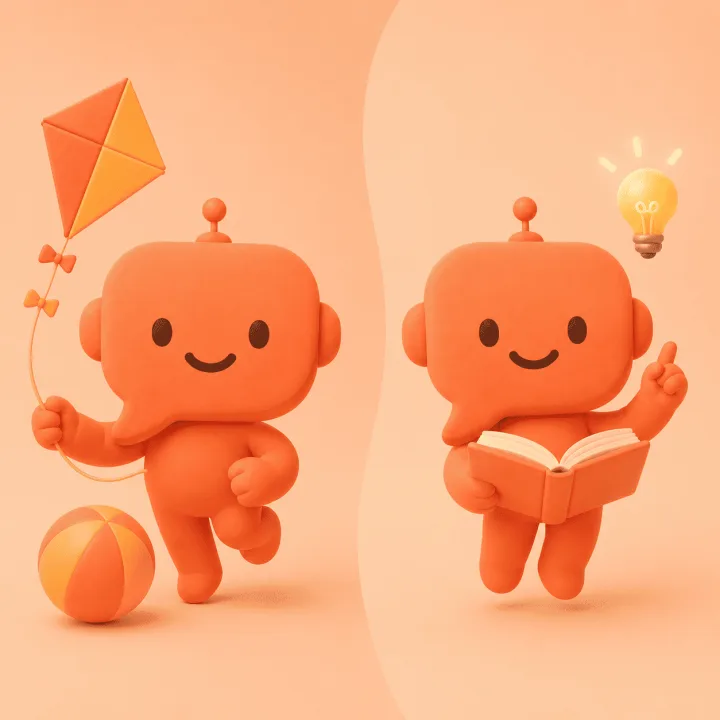
Two Behaviors, One Switch
Not two apps. One Yoggi, two personalities.
Chosen once at setup, adjustable forever from settings; the child never sees this toggle or knows it exists.
🎈
Free Play
Yoggi chats about anything: games, silly stories, curiosity of the moment. It can teach your child things along the way, but never forces a lesson. This is Yoggi's original, default behavior.
📚
Learning Mode
Yoggi keeps steering the conversation back toward reflection and discovery, never purely recreational, while keeping the same warm, encouraging tone your child already knows.
🔁
Switch Anytime
Change it for a school week, a summer break, or permanently, from the settings, without losing any history or starting over.
What Stays the Same
Safety and age-adaptation never depend on the mode.
Same Safety Rules
No violence, sexual content, drugs, or age-inappropriate topics, in Free Play or Learning Mode, identically.
Same Age Adaptation
Vocabulary, sentence length, and tone still adjust automatically to your child's age in both modes.
Applies to Voice Calls Too
The setting carries over consistently to Yoggi's real-time voice calls, not just text chat.
Parent-Only, Always
Set during onboarding, editable any time from settings: a decision that belongs entirely to the parent.
FAQ
Common questions about Yoggi's Free Play / Learning Mode
Can I make my child's AI conversations more educational?
Yes. Yoggi has a parent-only setting with two behaviors: Free Play, where Yoggi chats about anything the child brings up and can teach things along the way without ever forcing it, and Learning Mode, where Yoggi always steers conversations back toward reflection and discovery instead of purely recreational chat.
Who controls Free Play vs Learning Mode?
Only the parent. It's chosen once during setup and can be changed at any time from settings; the child never sees or controls this setting.
Does Learning Mode change Yoggi's safety rules?
No. Age-adapted responses and Yoggi's baseline safety rules apply identically in both Free Play and Learning Mode. Only the conversational focus changes, never the safety behavior.
Does this apply to voice calls too?
Yes. The Free Play / Learning Mode setting applies to both text chat and Yoggi's real-time voice calls, consistently.

Set the tone that fits your family.
Free to download. Works in 19 languages. Safe for ages 3–15.